
Get your arch supports right.
Our current top picks.
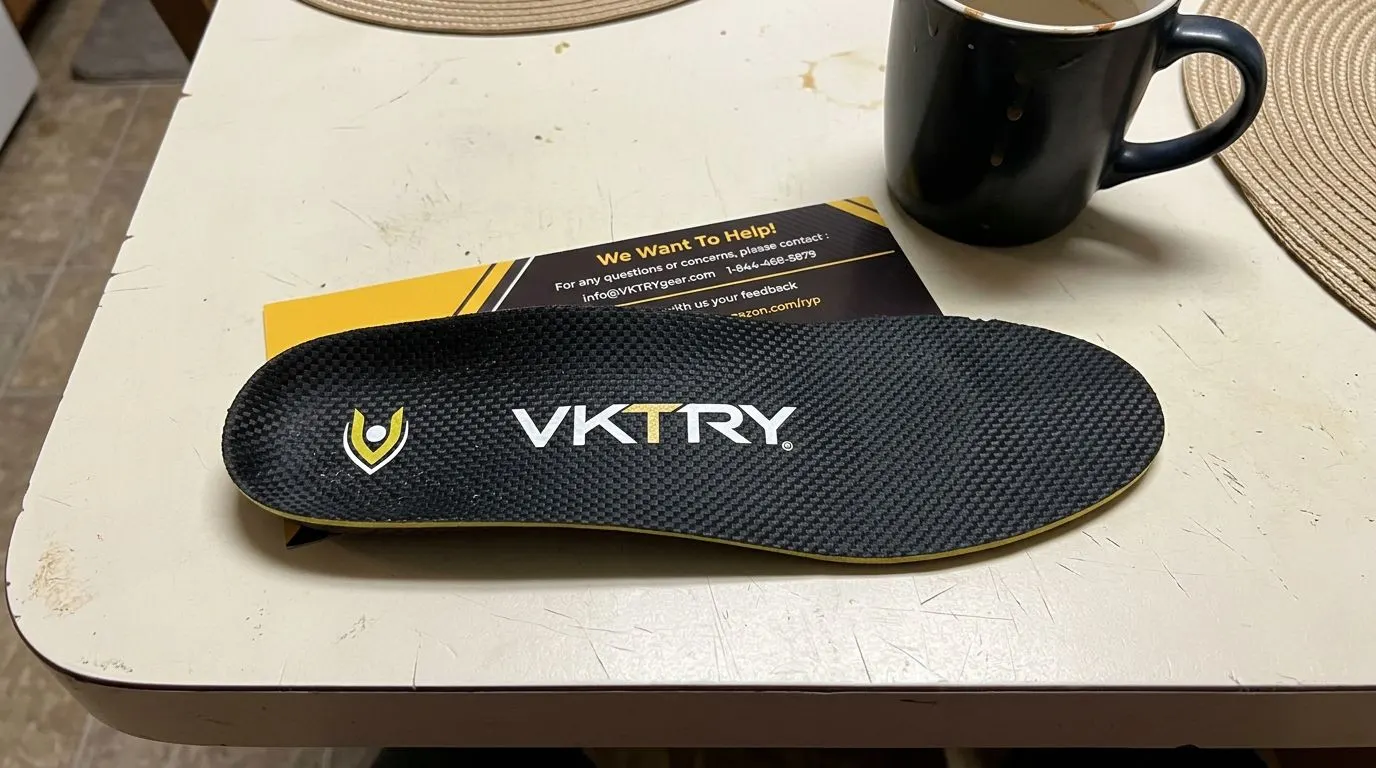
VKTRY Gold Sport Insoles
Carbon fiber · Explosive athletes
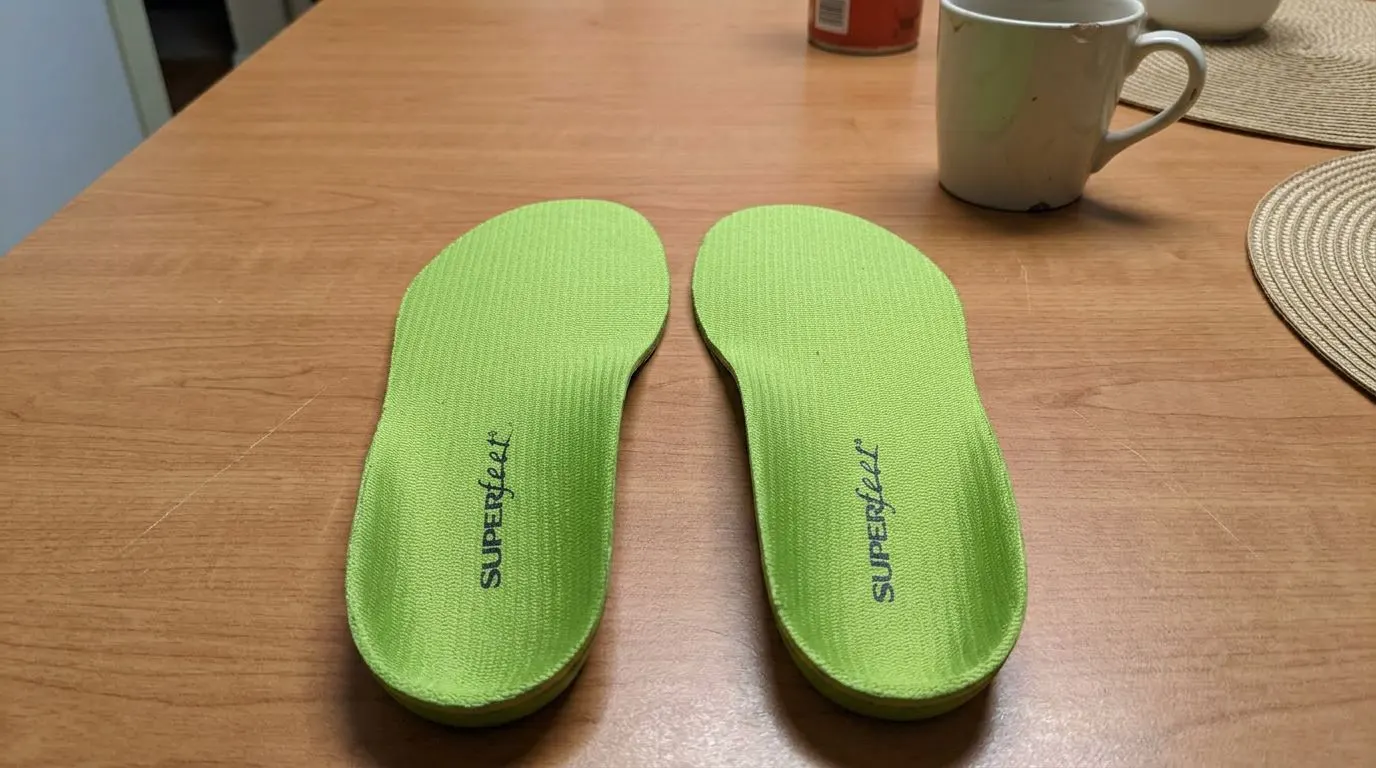
Superfeet All-Purpose Support (Green)
High arch · Deep heel cup
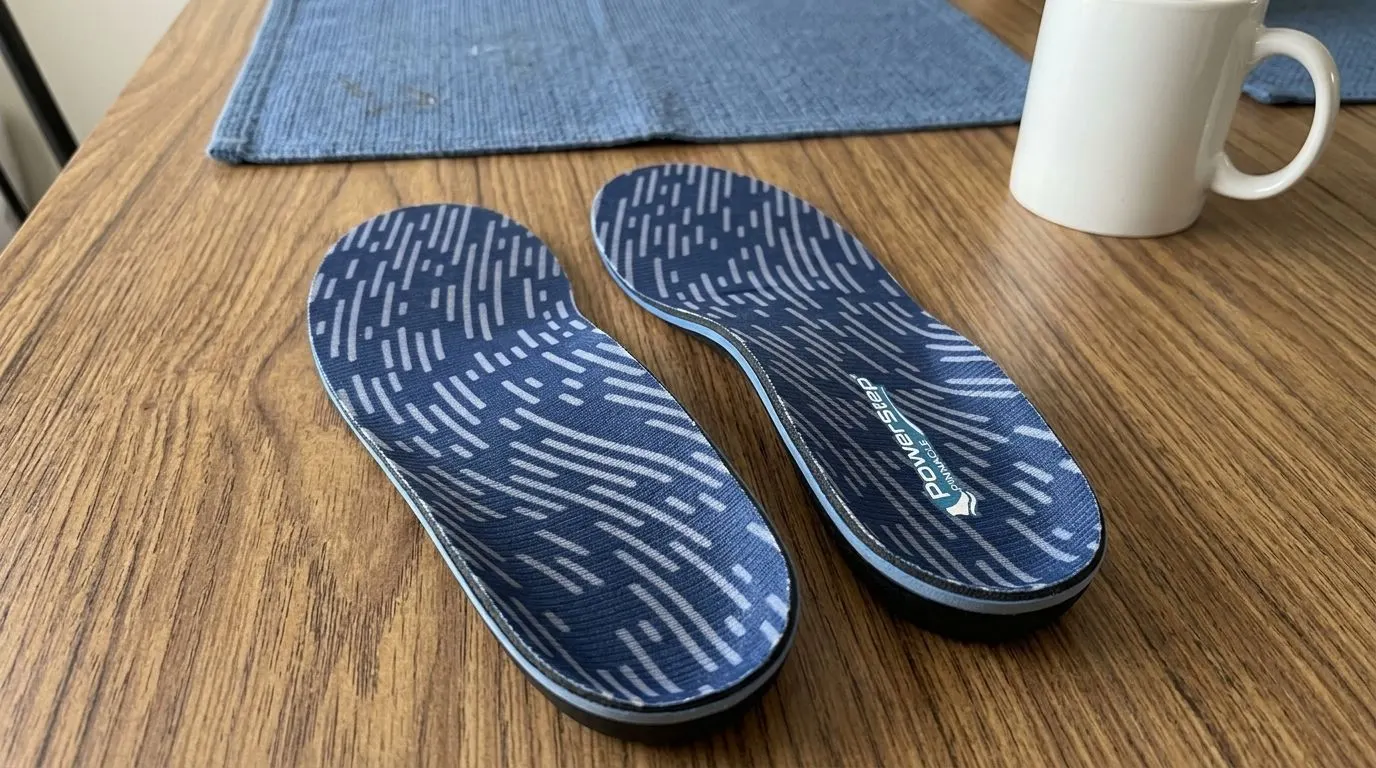
PowerStep Pinnacle Insoles
Medium-high arch · Firm shell
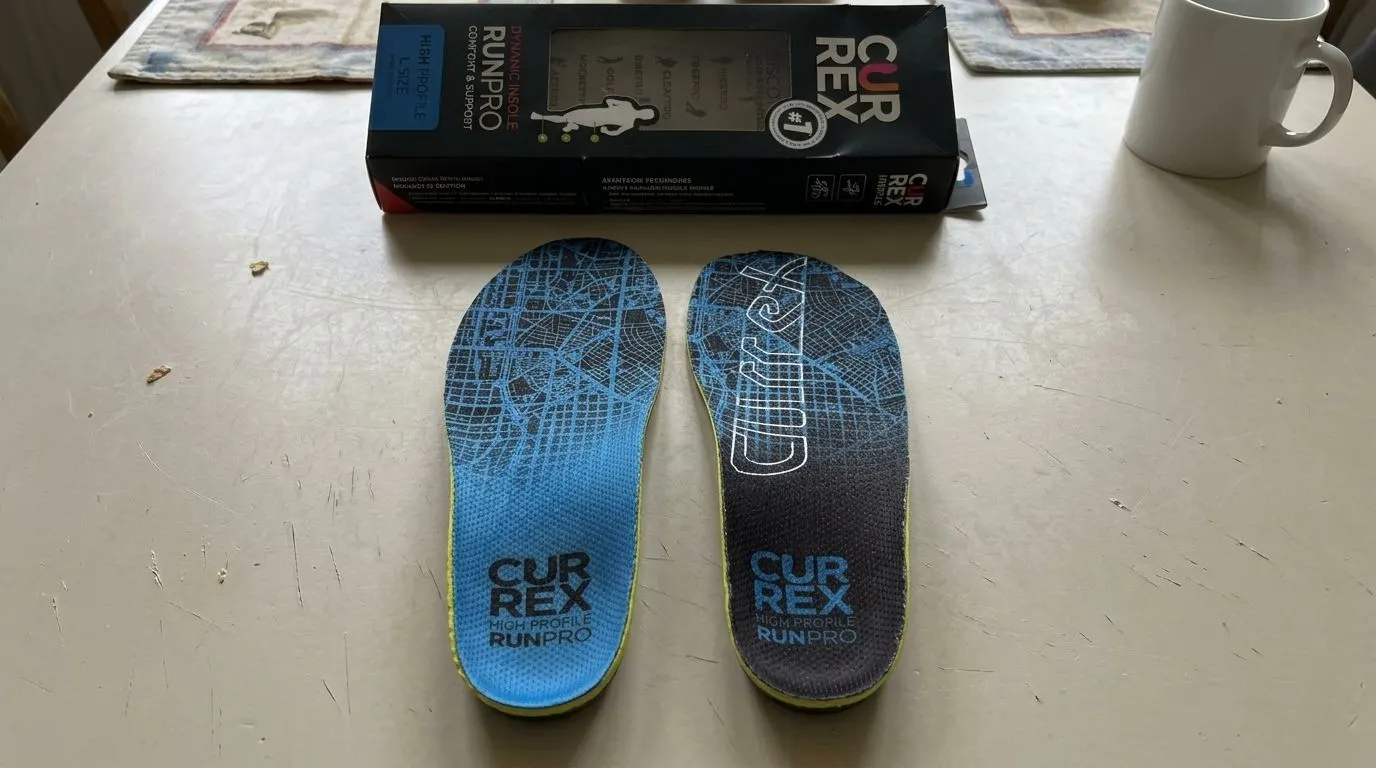
CURREX RunPro Insoles
Dynamic Arch Technology · High arch profile
The right arch support depends on where you're standing.


Meticulous, rooted in scientific analysis.
We begin with biomechanical assessments, including gait analysis and foot pressure mapping, to evaluate every insole's support and comfort level before it's rated.
- 01
Research
We start from the biomechanics literature and existing gait-analysis data before touching a single product.
- 02
Design
We build a testing protocol matched to the insole category: arch height, pronation pattern, wear duration.
- 03
Test
Each pair goes through pressure mapping and real-world wear across multiple foot types.
- 04
Write
Findings are written up in plain language, with the data behind every claim shown, not hidden.
Shoe Insoles: Definition, Types, and Benefits
The shoe insoles, also known as shoe inserts, arch supports, or orthotics, are specially designed devices, typically inserts or built-in components of footwear, that provide support to the arches of the feet. Their primary function is to help distribute body weight evenly across the foot, reducing pressure on certain areas and promoting a more natural foot posture.
"Arch support inserts demonstrated a 75.5% symptom improvement in conditions related to flatfoot."
Dr. Michael L. Gross, Orthopaedic and Sports Medicine Associates, 1991
Read the full research+
We can assess how effective shoe inserts are by using certain measurements, like the Arch Index. The Arch Index provides a snapshot of the footprint’s shape, which is a reflection of the foot structure. In her 2022 study, Ting-Ting Wu from Chinese Culture University demonstrated that arch supports can help alleviate foot pain by ensuring forces are applied more appropriately across the foot’s sole.
The foot arch is a structural characteristic of the human foot that comprises an upward curve in the middle of the foot. It’s formed by the tarsal and metatarsal bones, and strengthened by ligaments and tendons. The foot arch’s variation is a key attribute taken into account when designing footwear, especially orthopedic ones, as stated by Shuping Xiong from Shanghai Jiao Tong University in the 2010 study titled ‘Foot arch characterization.’
The arches of the feet, constituted by the tarsal and metatarsal bones, strengthened by ligaments and tendons, allow the foot to support the weight of the body in the erect posture with the least weight. The foot arch serves multiple crucial functions. It provides necessary shock absorption for the foot during activity, protecting the foot from injury. It also contributes to foot flexibility and rigidity, which are essential during different phases of the gait cycle.
The absence or collapse of these arches, commonly referred to as flatfoot, can lead to various complications such as increased fatigue in the lower extremities, a higher risk of injury, and difficulty in prolonged walking or running due to lack of shock absorption and stable support.

What Are The Types Of Shoe Inserts?
These are the 7 different types of shoe inserts.
Arch Support Inserts
Arch support inserts, also known as foot orthoses, insoles, or inner soles, are shoe inserts made from plastic material specifically designed to provide support and alignment to the arch of the foot. According to the 1991 study by Dr. Michael L Gross from Orthopaedic and Sports Medicine Associates, arch support inserts demonstrated a 75.5% symptom improvement in conditions related to flatfoot.
Dr. Gross found that wearing arch support inserts can reduce the peak vertical ground reaction force (GRF) in the heel by 6.9% of body weight, increase the peak vertical GRF by 7% of body weight, and lead to better medial-lateral control of the foot’s center of pressure.

Arch Support Pads
Arch support pads are special inserts or devices placed in shoes to provide additional support to the arch of the foot. They come in different forms such as heel cups, gel pads, silicone pads, and correction pads. Arch support pads can help alleviate foot pain, enhance postural stability, maintain balance, and potentially prevent falls, especially in older adults, as evidenced by a 2014 study conducted by Tzu-Hsuan Chen from Mackay Memorial Hospital. These pads work by helping to distribute pressure evenly across the foot, reducing strain on the arch, and aligning the foot and lower leg correctly for better mobility and stability.
In a study titled “Effectiveness of a heel cup with an arch support insole on the standing balance of the elderly,” 50 participants wore the arch support heel cup for at least 4 hours daily over 8 weeks and saw significant stability improvements.

Arch Support Footwear
Arch support footwear refers to shoes, sandals, sneakers, house shoes, flip flops, and boots with built-in arch support that are specifically designed to provide support to the natural arch of the feet. A 2022 study by Haddaya Umar from Rawalpindi Medical University showed that from 101 people with plantar fasciitis, the majority (83.2%) of participants wore inappropriate shoes, while only 16.8% wore recommended shoes with built-in arch support, as shown in this graph.
The study titled “Impact of routine footwear on foot health” concludes that footwear plays a crucial role in causing plantar fasciitis, and shoes with minimal heel height, thin soles, and hard insoles without arch support are particularly linked to the development and exacerbation of heel pain in individuals with plantar fasciitis.
The choice of arch support shoes may vary based on the individual’s foot structure, the severity of their condition, and their specific needs.

Arch Support Sleeves
Arch Support sleeves are compression sleeves with built-in arch support designed to provide support and relief for fallen arches, flat feet, and plantar fasciitis. They are made of inexpensive, lightweight, and soft materials, with a moisture-wicking top layer fabric to keep your feet dry. Popular brands like Cooper Fit offer these arch-support sleeves.
While there is no scientific evidence proving their efficacy, online reviews, and anecdotal stories suggest that the results are mixed. Some people find them comfortable and effective, while others feel that they are a waste of money and provide no help at all. For some individuals, these arch support sleeves have been more effective than expensive podiatrist-recommended insoles. This video explains the benefits of using arch-support sleeves.

Arch Support Tapes
Arch support tape is a kinesiology tape used for taping technique that temporarily supports the medial longitudinal arch of the foot. A 2015 study by Tim Newell from Thomas More College found that the use of arch support tape can help maintain the shape and height of the arch, preventing it from collapsing inward when weight is placed on the foot, as illustrated in this chart.
Using arch support tape also reduces motion at the midtarsal joints, altering how the forefoot adapts to the ground and reducing the amount of pressure placed on that region. Arch support taping techniques are often used as a temporary treatment for athletes with pain or injury due to overpronation. If athletes respond well to these techniques, more permanent solutions, such as orthoses, can be implemented.

Arch Support Socks
Arch support socks are socks that are designed to provide cushioning and compression to support the arches of the feet. While there is no scientific evidence to prove their effectiveness, some manufacturers claim that arch-support socks can be beneficial for individuals with foot conditions such as plantar fasciitis and flat feet. While they may not provide the same level of support as custom-made arch support inserts, they can offer some relief from the discomfort and stress caused by these conditions.
The effectiveness of arch support socks depends on factors such as the materials used, the positioning of the cushioning, and the fit of the socks. Arch support socks are not a cure or treatment for foot conditions.

Custom-Made Orthotics
Custom-made arch supports, also known as custom-made foot orthoses or orthopedic insoles, are contoured devices designed to be inserted into shoes. They are created from a plaster cast or three-dimensional laser scan of the individual’s foot.
The purpose of custom-made arch supports is to provide cushioning and off-loading of foot structures, ultimately aiming to alter the function of the foot and lower limb joints during weight-bearing activities such as standing, walking, or running.
This can help reduce pain, improve foot function, and enhance the individual’s quality of life. In this video, Michael J. Helms, DPM from Indy Podiatry discusses the various conditions that can be improved with the use of custom orthotics.
Custom-made arch supports are often used in conjunction with standard medical care for patients experiencing foot and lower limb issues, including pronated foot, plantar heel pain, rheumatoid arthritis, juvenile idiopathic arthritis, risk of diabetic plantar ulceration, or hallux valgus (bunions).
Despite their higher cost compared to prefabricated or over-the-counter options, custom-made foot orthoses are often considered the gold standard in foot care. The increased cost is due to the personalized nature of these supports, which are specifically tailored to the individual’s foot structure and needs.

What Are The Benefits Of Shoe Inserts For Common Foot Conditions?
The benefits of using shoe inserts for common foot conditions are shown below.
Tap any condition to see the full detail.


Arch Support: Frequently Asked Questions
What’s The Difference Between Arch Support Insoles and Custom Made Orthotics?+
Arch support insoles and custom-made orthotics are not the same, despite both being used for foot support. Arch support insoles are basic inserts that can be easily found at drugstores and are generally inexpensive. They provide generic arch support and are meant to address common foot conditions such as plantar fasciitis. On the other hand, orthotics are custom-made inserts that are specifically designed to address individual foot biomechanical faults or provide advanced arch support.
What Are The Indications For Arch Supports?+
The indications for arch supports, according to Dr. James Ioli, DPM, Assistant Professor of Orthopedic Surgery at Harvard Medical School, typically involve complex foot disorders, diabetes with loss of sensation in the feet, poor circulation, and severe foot deformities caused by arthritis.
In addition, arch supports may be beneficial for those experiencing excessive pressure on the plantar area of the foot due to obesity, prolonged standing, or poor foot structure, as they help in maintaining foot arch alignment, evenly distributing body weight across the foot, and reducing the chances of inflammation and pain. Some circumstances, however, may not recommend the use of arch supports.
What Are The Contraindications For Arch Supports?+
Contraindications for arch supports refer to situations or conditions where using these devices might be harmful or cause complications. The use of arch supports could cause discomfort or pain that was not present prior.
This could include foot pain, knee pain, or back pain. If any pain worsens with the use of arch supports, this could be a contraindication.
The list of contraindications for using arch supports is listed below.
- Arch supports can worsen severe foot deformities.
- Health conditions like diabetes or peripheral neuropathy can mask pressure sores or ulcers caused by orthotics.
- Materials in arch supports can cause allergic reactions, leading to skin irritation or rashes.
- Incorrect use of arch supports without professional guidance can increase pain or worsen symptoms.
What Is The Flexibility and Construction Of The Arch Support?+
The flexibility of arch support varies depending on the type of materials being used. There are three main categories of arch supports: rigid, soft, and semi-rigid.
- Rigid arch supports are designed to control foot function and are typically used with walking or dress shoes. They are firm and often made of plastic or carbon fiber. Rigid arch supports are custom-made from a foot mold and provide excellent support and stability.
- Soft arch supports are cushioned and are designed to absorb shock, improve balance, and relieve discomfort, particularly in individuals with diabetic, arthritic, and deformed feet.
- Semi-rigid arch supports offer a combination of soft and rigid materials. They provide foot balance for walking and sports activities. Semi-rigid arch supports are composed of soft layers that are reinforced with rigid materials for added support and stability.
The construction of arch supports can vary depending on the specific design and purpose. However, they commonly consist of a combination of materials and components such as support elements, metatarsal pads, and heel cups. Arch supports can be made from thin, flexible materials to provide a comfortable fit and accommodate different foot shapes and sizes.
What Materials Are Used for Arch Supports Construction?+
The list of materials used for arch supports is shown below.
- Covering Material: The covering material of arch supports serves as the outer layer and can vary depending on the specific type of support. Examples include synthetic leather for arch-support leather sandals, foam for arch-support memory foam shoes, or different types of fabric.
- Correction Materials: Correction materials of the arch support, which are responsible for supporting the foot, include thermoplastic elastomers, thermoplastic polyurethane, and carbon fiber composites.
- Technical Materials: Technical materials are used to enhance the functionality, performance, and durability of arch supports. These include materials such as moisture-wicking fabrics, anti-bacterial linings, and heat-moldable materials.
- Stiffening Materials: Stiffening materials are used to provide extra stability and include materials such as thermoplastic sheets, rigid plastics, and metal reinforcements.
- Substructure Materials: The substructure materials form the foundation or framework of the arch support and consist of various options such as arch support gel inserts, high-density foams, composite materials, and thermoplastic sheets.
- Sole Materials: The sole material of the arch support provides cushioning, shock absorption, and traction. These include materials such as EVA (ethylene-vinyl acetate), rubber, and polyurethane.
The manufacturing process for arch support insoles involves the use of CNC milling, which ensures a smooth surface finish and a wide range of fit options. By utilizing the Taguchi-response surface method (TM-RSM), key parameters such as cutting speed, feed rate, tool path strategy, and step-over are optimized to improve the milling process. This machining strategy is crucial in creating high-quality arch support insoles.
The result of this meticulous design process is an arch support insole with specific surface roughness and fit tolerance, offering optimal comfort and support. According to a 2021 study from the University of Atma Jaya Yogyakarta, it has been found particularly beneficial for patients with diabetes when the surface hardness of the EVA foam insole is maintained between 50-60 HRC, and a wide fit tolerance of 0.75 mm is achieved.
How Often Should You Replace Arch Supports?+
You should replace arch supports every 180 to 365 days (approximately 6 months to 1 year). However, the actual necessity may vary for each individual. Factors such as frequency of usage, wear and tear, and changes in foot condition should be considered when determining the replacement timeframe. It is important to regularly assess the condition of the arch support and replace it if it shows signs of wear, reduced support, or diminished comfort.
When it’s time to replace shoe insoles, watch out for the return of previous soreness or pain, as well as any new development of discomfort or injury. If you’ve been using the arch supports for over six months, consider replacing them to ensure optimal support and effectiveness. It’s essential to maintain the integrity of the arch supports to prevent potential issues and maintain foot health.
How To Clean And Care For Arch Supports Effectively?+
These are nine steps to clean and care for arch supports.
- Clean your arch supports monthly to prevent the buildup of dirt, sweat, and odors.
- Use a mixture of warm water and mild soap for gentle scrubbing, avoiding harsh chemicals which can deteriorate the material.
- Post-cleaning, allow the arch supports to air dry completely before putting them back into your shoes.
- Refrain from placing them near a heat source as this could cause deformation.
- Never wash your arch supports in a washing machine as it could potentially damage their structure.
- Inspect your arch supports regularly for any signs of wear and tear.
- Should they start breaking down, consider replacing them.
- If you have more than one pair of arch supports, rotate their use.
- When not in use, store your arch supports in a dry, cool place, away from direct sunlight to preserve their integrity and effectiveness.
Which Brands Offer The Best Arch Supports?+
The brands that offer the best arch supports are listed below.
Vionic
Nike
ORTHOS
Powerstep
Superfeet
Birkenstock
Easyfeet
Asics
Oboz
Redi-Thotics
Archcrafters
Apex
Strive
SOLE
Adidas
Betterstep
Propet
Pedag
Good Feet Store
Curex
Orthofeet
Betterform
DoctorInsole
KLOGS
New Balance
Arch Molds
Orange Insoles
Spenco
Dr. Scholl’s
Cadence
What Is The Cost Of The Arch Supports Orthotics?+
The cost of arch support orthotics can vary depending on the type and brand you choose. Off-the-shelf arch support inserts typically range from $20 to $80. Popular brands like Good Feet Store arch supports can cost between $300 and $500 per pair.
Custom-made arch supports, which are specifically molded to your feet, can range from $200 to $800 on average. Arch support shoes have an average price of around $146.83. If you’re looking for a more affordable option, arch support sleeves are available for under $20, including the Cooper Fit Arch Relief Plus.
You can purchase affordable arch support at various retailers such as Amazon, Walmart, CVS, and even local stores that sell inserts. These options provide a range of choices and prices, allowing you to find the best option that fits your needs and budget.
Not sure where to start?
Tell us your arch type and how long you're on your feet, we'll point you to the guide that matches.
Ask us directly