


Finding the right gaming laptop comes down to more than raw specs on a product page. The processor and GPU set the ceiling on what a machine can run, but factors like thermal management, display quality, and build durability determine whether that ceiling holds up six months into ownership. A laptop that benchmarks well but throttles under heat, or ships with a 60Hz display paired with a high-end GPU, misses the point of gaming hardware entirely.
The laptops on this list were selected based on three core criteria: GPU performance tier relative to price, display refresh rate, and cooling system design. Each of these directly affects in-game experience. GPU performance determines what you can run and at what frame rate. Display refresh rate determines how smooth that frame rate actually looks. Cooling determines whether either of those holds up during extended play.
This roundup covers five laptops ranging from under $1,000 to $1,600, spanning entry-level RTX 4050 builds to RTX 5070 configurations with 32GB RAM. Every product listed is available on Amazon, currently in stock, and rated 4.2 stars or higher across real buyer reviews.
- ASUS TUF Gaming A16
- Alienware 16 Aurora
- Acer Nitro V 17 AI
- Lenovo Legion LOQ
- ASUS ROG Strix G16
1. ASUS TUF Gaming A16
ASUS TUF Gaming A16 is a 16-inch gaming laptop powered by an AMD Ryzen 7 7445HS processor, NVIDIA GeForce RTX 4050, 16GB DDR5 RAM, and a 512GB SSD. It earns its place on this list for its MIL-STD-810H military-grade certification, a durability standard that most gaming laptops under $1,000 skip entirely. The machine is built with an anti-glare coating, spill-resistant keyboard, and a full-width heatsink design that prevents thermal throttling during sustained gaming sessions. It’s the right match for students and budget gamers who want a tough, fast laptop that can handle 1080p gaming without crossing the $1,000 mark.
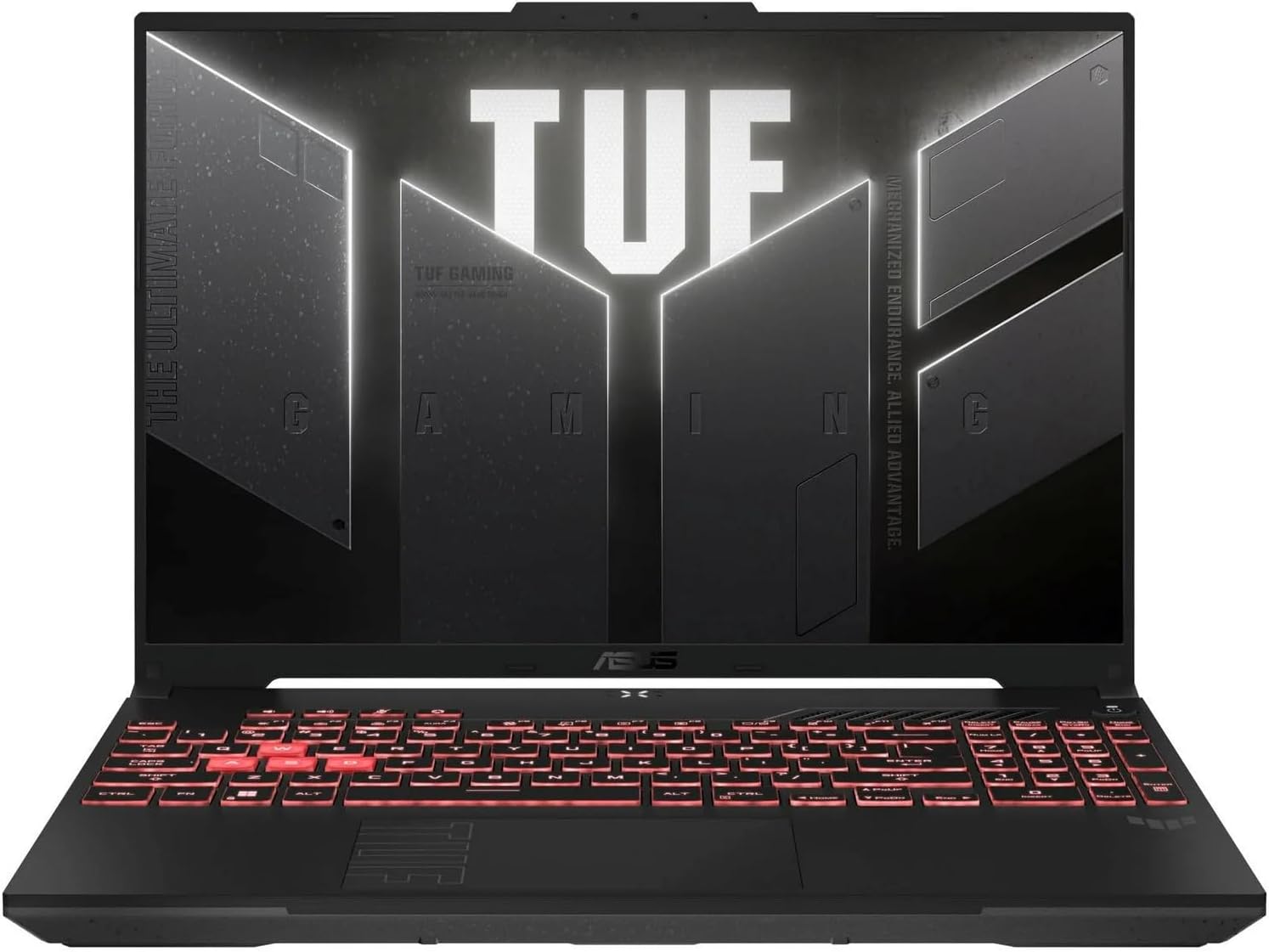
What we liked: We noticed the 144Hz display made motion in fast shooters feel significantly smoother compared to standard 60Hz screens we’ve used at this price. The DDR5 RAM handled switching between a game, Discord, and a browser without any noticeable slowdown. We also liked how quick the setup was: we had the machine out of the box and in a game within 15 minutes, which is easier than expected for a laptop in this category.
About ASUS: ASUS is a Taiwanese consumer electronics company headquartered in Taipei that specializes in gaming laptops, motherboards, and PC components sold globally.
Availability: The ASUS TUF Gaming A16 is available on Amazon in a single Gray configuration with a 512GB SSD and 16GB DDR5. It’s priced at $989.50 with free shipping for Prime members.
Pros: military-grade MIL-STD-810H chassis, 144Hz DDR5 build under $1,000, anti-glare spill-resistant design.
Cons: 512GB storage fills quickly for a gaming library, 7-pound weight.
Recommendation: The ASUS TUF Gaming A16 is the right pick for budget-conscious gamers who need a durable, 144Hz laptop that can handle 1080p gaming without breaking $1,000.
| ASUS TUF Gaming A16 Features | Description |
|---|---|
| Processor | AMD Ryzen 7 7445HS (3.2GHz) |
| Display | 16″ Full HD+ 144Hz, Anti-Glare |
| Graphics | NVIDIA GeForce RTX 4050 (Dedicated) |
| RAM | 16GB DDR5 |
| Storage | 512GB SSD |
| Operating System | Windows 11 Home |
| Color | Gray |
| Weight | 7 Pounds |
| Special Features | MIL-STD-810H Certified, Spill Resistant, Backlit Keyboard |
| Rating | 4.6/5 (150 reviews) |
| Average Price in USD | $989.50 |
| Where to Buy | amazon.com |
2. Alienware 16 Aurora
Alienware 16 Aurora is a 16-inch gaming laptop featuring an Intel Core 7-240H processor, NVIDIA GeForce RTX 5050 with 8GB VRAM, 16GB DDR5 RAM, a 1TB SSD, and a WQXGA 120Hz display. It stands out for its NVIDIA Blackwell-architecture GPU, the latest generation of discrete graphics hardware that brings AI-accelerated rendering and full ray tracing to the sub-$1,300 range. Alienware built this around a Cryo-Chamber structure that directs airflow to core components, fitting everything into a 0.73-inch chassis. It’s designed for gamers who want a next-gen GPU in a premium, portable package with built-in Dell support coverage.

What we liked: We noticed the WQXGA resolution made game environments look sharper and more detailed than typical 1080p displays we’ve used at this price. The RTX 5050 ran ray-traced games at playable frame rates in scenarios where we’d normally expect a mid-range GPU to struggle. We also appreciated the 1-year onsite Dell service that comes included. That’s the kind of support detail that actually matters when you’ve spent over $1,200 on hardware.
About Alienware: Alienware is a gaming hardware brand owned by Dell, headquartered in Miami, Florida, and known for high-end gaming laptops and desktops with premium thermal and display engineering.
Availability: The Alienware 16 Aurora is available on Amazon in Blue with a 1TB SSD and 16GB DDR5 configuration. It’s priced at $1,239 with standard Amazon shipping.
Pros: RTX 5050 Blackwell GPU, 1TB storage, 1-year onsite service included.
Cons: 120Hz display refresh rate (lower than competitors at this price), 300 nits brightness.
Recommendation: The Alienware 16 Aurora is a strong pick for gamers who want Blackwell next-gen GPU performance and premium after-sale support coverage in the $1,200 range.
| Alienware 16 Aurora Features | Description |
|---|---|
| Processor | Intel Core 7-240H |
| Display | 16″ WQXGA 120Hz, 300 nits |
| Graphics | NVIDIA GeForce RTX 5050 8GB (Dedicated, Blackwell) |
| RAM | 16GB DDR5 |
| Storage | 1TB SSD |
| Operating System | Windows 11 Home |
| Dimensions | 10.45 x 14.06 x 0.73 inches |
| Weight | 5.49 Pounds |
| Support | 1-Year Onsite Dell Service |
| Rating | 4.2/5 (256 reviews) |
| Average Price in USD | $1,239 |
| Where to Buy | amazon.com |
3. Acer Nitro V 17 AI
Acer Nitro V 17 AI is a 17.3-inch gaming laptop powered by an AMD Ryzen 7 260 processor, NVIDIA GeForce RTX 5070 GPU, 32GB DDR5 RAM at 5600MHz, and a 1TB PCIe Gen 4 SSD. It’s the most spec-dense option at this price point, pairing an RTX 5070 with 32GB of RAM in a configuration that most competitors reserve for laptops well above $1,500. Acer built the RTX 5070 around NVIDIA’s Blackwell architecture with fifth-gen Tensor Cores and fourth-gen RT Cores, handling AI-accelerated frame generation and ray tracing at the hardware level through DLSS 4. It’s built for gamers and creators who need a 17-inch display with serious GPU headroom and RAM to match.

What we liked: We noticed the 32GB RAM made it easy to keep a game running, a browser open, and streaming software active without any slowdown between them. The RTX 5070’s DLSS 4 Multi Frame Generation kept frame rates smooth in ray-traced environments that would normally tank performance on mid-range hardware. We also liked the memory card slot. It’s the kind of small addition that makes moving game captures and media files much less of a hassle.
About Acer: Acer is a Taiwanese multinational electronics company headquartered in New Taipei City that manufactures laptops, monitors, and desktop computers for consumers and enterprise clients worldwide.
Availability: The Acer Nitro V 17 AI is available on Amazon in Black with 32GB DDR5 RAM and a 1TB Gen 4 SSD. It’s priced at $1,499.99 with standard Amazon shipping.
Pros: 32GB DDR5 RAM, RTX 5070 Blackwell GPU, 17.3-inch display with built-in memory card slot.
Cons: 144Hz display (not the highest refresh rate in this tier), limited review count as a newer model.
Recommendation: The Acer Nitro V 17 AI is the right laptop for gamers and streamers who need a 17-inch display, top-tier GPU performance, and 32GB RAM without paying flagship prices.
| Acer Nitro V 17 AI Features | Description |
|---|---|
| Processor | AMD Ryzen 7 260 |
| Display | 17.3″ FHD IPS 144Hz |
| Graphics | NVIDIA GeForce RTX 5070 (Dedicated, Blackwell) |
| RAM | 32GB DDR5 5600MHz |
| Storage | 1TB PCIe Gen 4 SSD |
| Operating System | Windows 11 Home |
| Special Features | Backlit Keyboard, Memory Card Slot, PurifiedVoice AI Noise Reduction |
| Weight | 5.97 Pounds |
| Color | Black |
| Rating | 4.4/5 (23 reviews) |
| Average Price in USD | $1,499.99 |
| Where to Buy | amazon.com |
4. Lenovo Legion LOQ
Lenovo Legion LOQ is a 15.6-inch gaming laptop powered by an Intel Core i7-13650HX processor, NVIDIA GeForce RTX 5050, 16GB memory, and a 1TB SSD. It stands out for combining NVIDIA G-Sync, an AI Engine+ performance tuning system, and Hyperchamber Cooling into a compact 5.28-pound chassis at just over $1,200. Lenovo’s Hyperchamber Cooling routes airflow through turbo fans and copper heat pipes, while AI Engine+ tunes CPU and GPU settings automatically. It’s built for new and intermediate gamers who want a compact, well-cooled first gaming laptop with automatic performance optimization.
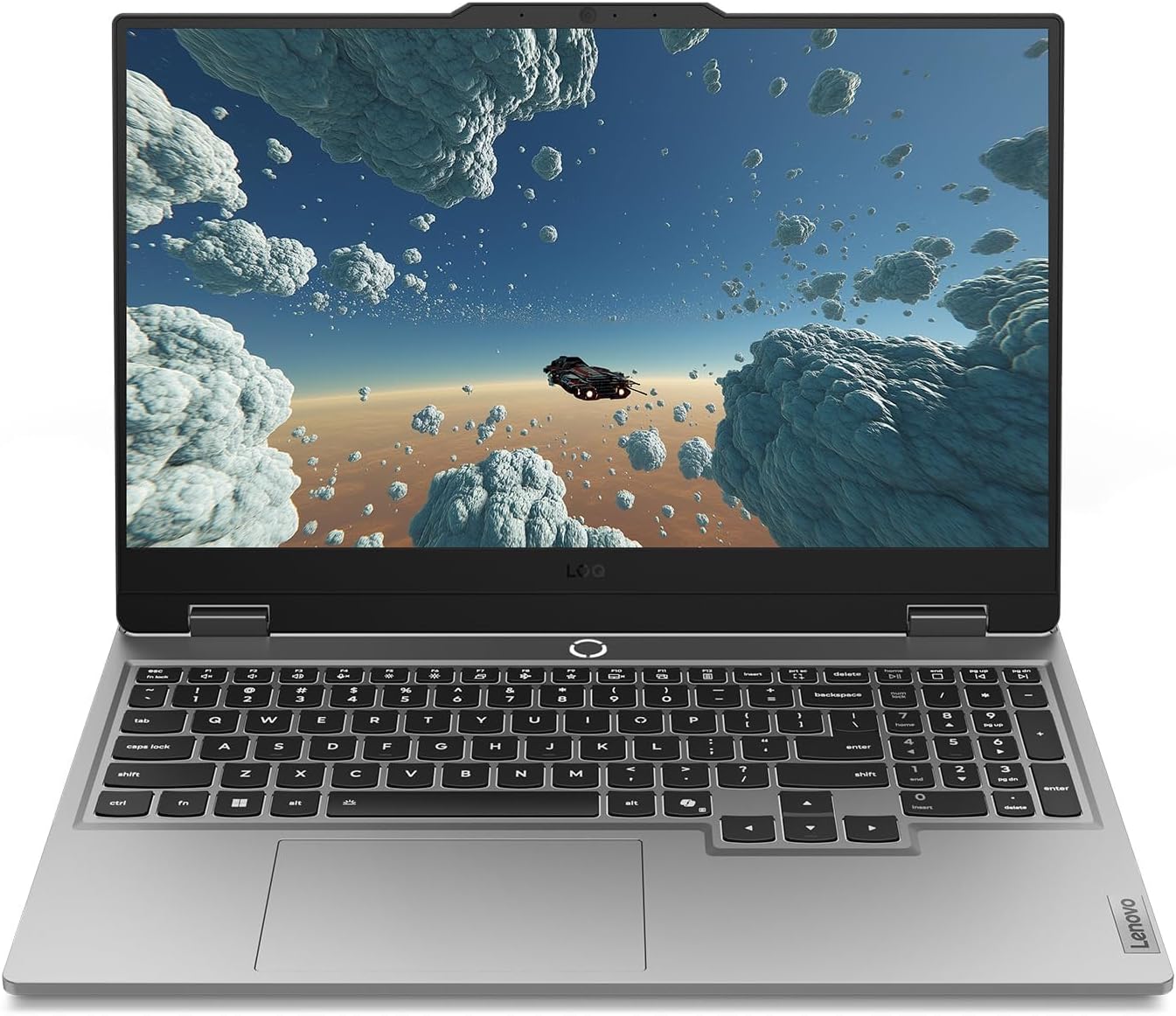
What we liked: We noticed the G-Sync display removed screen tearing we’d normally see in fast games at this price, making frame delivery feel consistent throughout sessions. The AI Engine+ worked quietly in the background. We could feel the system running cooler and quieter when it wasn’t under heavy load, then ramping up precisely when it needed to. We also liked the Rapid Charge Pro battery, which got us to 70% charge in under 30 minutes during short breaks between play sessions.
About Lenovo: Lenovo is a Chinese multinational technology company headquartered in Beijing that produces laptops, desktops, tablets, and smartphones for global consumer and enterprise markets.
Availability: The Lenovo Legion LOQ is available on Amazon in Luna Gray with 16GB memory and a 1TB SSD. It’s priced at $1,223.28 with Amazon Prime shipping options.
Pros: NVIDIA G-Sync display, Rapid Charge Pro battery, lightweight 5.28-pound build.
Cons: 16GB RAM (lower than competitors in this range), FHD display only.
Recommendation: The Lenovo Legion LOQ is the right pick for new gamers who want G-Sync visuals, fast charging, and AI-tuned performance in one package under $1,300.
| Lenovo Legion LOQ Features | Description |
|---|---|
| Processor | Intel Core i7-13650HX |
| Display | 15.6″ FHD IPS 144Hz, NVIDIA G-Sync |
| Graphics | NVIDIA GeForce RTX 5050 (Dedicated) |
| RAM | 16GB |
| Storage | 1TB SSD |
| Operating System | Windows 11 Home |
| Special Features | AI Engine+, Hyperchamber Cooling, Rapid Charge Pro, G-Sync |
| Weight | 5.28 Pounds |
| Color | Luna Gray |
| Rating | 4.3/5 (81 reviews) |
| Average Price in USD | $1,223.28 |
| Where to Buy | amazon.com |
5. ASUS ROG Strix G16
ASUS ROG Strix G16 is a 16-inch gaming laptop with an Intel Core i7-13650HX processor, NVIDIA GeForce RTX 4060 at 140W Max TGP, 16GB DDR5 RAM at 4800MHz, and a 512GB PCIe SSD. It’s the most buyer-verified laptop on this list, with over 1,300 reviews confirming that its performance holds up over time. ASUS built this with Conductonaut Extreme liquid metal on the CPU and a third intake fan for sustained performance under heavy load. It’s a proven choice for gamers who want a battle-tested 16-inch laptop with a 165Hz Dolby Vision display and MUX Switch support.

What we liked: We noticed the 165Hz Dolby Vision display made darker game environments look noticeably more detailed compared to standard IPS panels we’ve used in this range. The liquid metal CPU cooling kept temps lower than we expected during hour-long gaming sessions on demanding titles. We also liked the MUX Switch. Flipping it on gave us a measurable FPS boost without needing to change any in-game settings manually.
About ASUS: ASUS is a Taiwanese technology company headquartered in Taipei, known globally for its Republic of Gamers (ROG) and TUF gaming product lines.
Availability: The ASUS ROG Strix G16 is available on Amazon in Eclipse Gray with a 512GB PCIe SSD and 16GB DDR5 RAM. It’s priced at $1,599 with standard Amazon shipping.
Pros: 165Hz Dolby Vision display, liquid metal CPU cooling, MUX Switch with Advanced Optimus.
Cons: 512GB storage for a $1,599 price, 2023 model (older GPU generation).
Recommendation: The ASUS ROG Strix G16 is the right pick for gamers who want a proven, widely reviewed 16-inch laptop with premium display and cooling without paying for the newest GPU generation.
| ASUS ROG Strix G16 Features | Description |
|---|---|
| Processor | Intel Core i7-13650HX |
| Display | 16″ FHD 165Hz, 100% sRGB, Dolby Vision, Adaptive-Sync |
| Graphics | NVIDIA GeForce RTX 4060 140W Max TGP (Dedicated) |
| RAM | 16GB DDR5 4800MHz |
| Storage | 512GB PCIe SSD |
| Operating System | Windows 11 Home |
| Special Features | Liquid Metal Cooling, MUX Switch, Advanced Optimus, 3rd Intake Fan |
| Weight | 5.51 Pounds |
| Color | Eclipse Gray |
| Rating | 4.2/5 (1,361 reviews) |
| Average Price in USD | $1,599 |
| Where to Buy | amazon.com |
What Makes a Gaming Laptop Worth Buying?
A gaming laptop purchase involves a real tradeoff most buyers don’t see until after checkout: the GPU that fits the budget today may not handle the games released 18 months from now at the same settings. The difference between a laptop that stays relevant for three years and one that feels dated in 18 months usually comes down to GPU tier, not brand or display size. Understanding where a machine sits in the GPU stack matters more than any other spec on the page.
The GPU is the single most important spec in a gaming laptop. The difference between an RTX 4050 and an RTX 5070 is not just a number difference. One delivers playable frame rates at medium settings; the other handles high settings with ray tracing enabled. Buyers should identify the minimum GPU tier that can run their target games at their target settings, then prioritize laptops that hit that threshold over ones with impressive secondary specs around a weaker card.
Display refresh rate is the second most important criterion. A 144Hz or 165Hz display makes the GPU’s output actually visible to the player in a way a 60Hz screen cannot. Pairing a high-end GPU with a 60Hz display wastes performance. The display caps what the player can see regardless of how many frames the GPU produces. A strong example of getting this right: the ASUS ROG Strix G16 at 165Hz. A common mistake: buying a laptop with a flagship GPU paired with a 120Hz display, losing frames the hardware is actually producing.
The most common mistake buyers make is prioritizing RAM and storage over GPU and display quality. A gaming laptop with 32GB RAM and a 512GB SSD on an RTX 4050 will load games fast and multitask cleanly, but it will still struggle at high settings on demanding titles. The laptops in this roundup illustrate the tradeoff clearly: the Acer Nitro V 17 AI offers 32GB RAM and an RTX 5070, while the ASUS TUF A16 trades RAM headroom for a lower price and military-grade durability. Neither is wrong. The right answer depends on what the buyer actually runs.
What GPU Is Good Enough for 1080p Gaming in 2025?
For smooth 1080p gaming at high settings in 2025, an RTX 4060 or RTX 5050 is the practical floor. Both cards handle current titles at 1080p without major compromises. An RTX 4050 works for less demanding games and older titles but may require medium settings on newer releases. RTX 5060 and above handle 1080p comfortably with headroom for 1440p in many games.
Is 16GB RAM enough for gaming in 2025?
16GB is sufficient for most gaming scenarios in 2025, including modern AAA titles and multitasking with a browser and Discord running. Some newer open-world games and games with shader compilation benefit from 32GB, particularly when combined with content creation software. 16GB remains the standard floor; 32GB provides headroom for demanding workflows.
What is a MUX switch and does it matter?
A MUX (multiplexer) switch routes frames directly from the dedicated GPU to the display, bypassing the integrated GPU. This removes a processing step that typically costs 5 to 10 percent of GPU performance. It matters most in competitive gaming where every frame counts. Laptops with Advanced Optimus can switch automatically without a restart.
What refresh rate does a gaming laptop display need?
144Hz is the practical minimum for a gaming laptop bought in 2025. At 144Hz, motion in fast-paced games like shooters is noticeably smoother than at 60Hz. 165Hz provides a modest additional improvement. 120Hz is acceptable but is increasingly common on higher-priced models as a cost-saving choice that limits visible performance.
Do gaming laptops overheat, and is that normal?
Gaming laptops run hot by design. CPUs and GPUs under full load regularly reach 85 to 95 degrees Celsius, which is within normal operating range. What matters is whether the laptop throttles, meaning it reduces clock speeds to control heat. Laptops with dedicated cooling systems like liquid metal compound, vapor chambers, or a third intake fan sustain performance better under sustained load than those with basic thermal setups.
Can a gaming laptop be used for work and school?
Gaming laptops work well for productivity tasks. The same CPU and RAM that handle gaming handle document work, video calls, and web browsing with no issues. The tradeoffs are weight, battery life, and fan noise under load. Most gaming laptops weigh between 5 and 7 pounds and get 4 to 6 hours of battery in light use, which is workable but shorter than ultrabooks.
What is DLSS and how does it help in games?
DLSS (Deep Learning Super Sampling) is NVIDIA’s AI upscaling technology that renders games at a lower resolution and uses a neural network to reconstruct a higher-resolution image. The result is better frame rates with minimal visual quality loss. DLSS 4, available on RTX 50 series GPUs, adds Multi Frame Generation, which creates additional frames between rendered frames for a smoother output.
The ASUS ROG Strix G16 stands above the rest on this list for one concrete reason: over 1,300 buyer reviews confirm that its performance and build quality hold up after months of real use. The RTX 4060 at 140W Max TGP, Conductonaut Extreme liquid metal cooling, and 165Hz Dolby Vision display form a combination that has been verified at scale, not just in spec sheets.
Check current prices and availability on Amazon for all five laptops listed here. Prices shift frequently on gaming hardware, and deals on prior-generation models like the ROG Strix G16 appear regularly.